To avoid errors during the synchronisation between your Master account and its Child accounts, we have improved the synchronisation section in the back office.
Now, the page is clearer, and a confirmation step has been added to review and approve the data before synchronising.
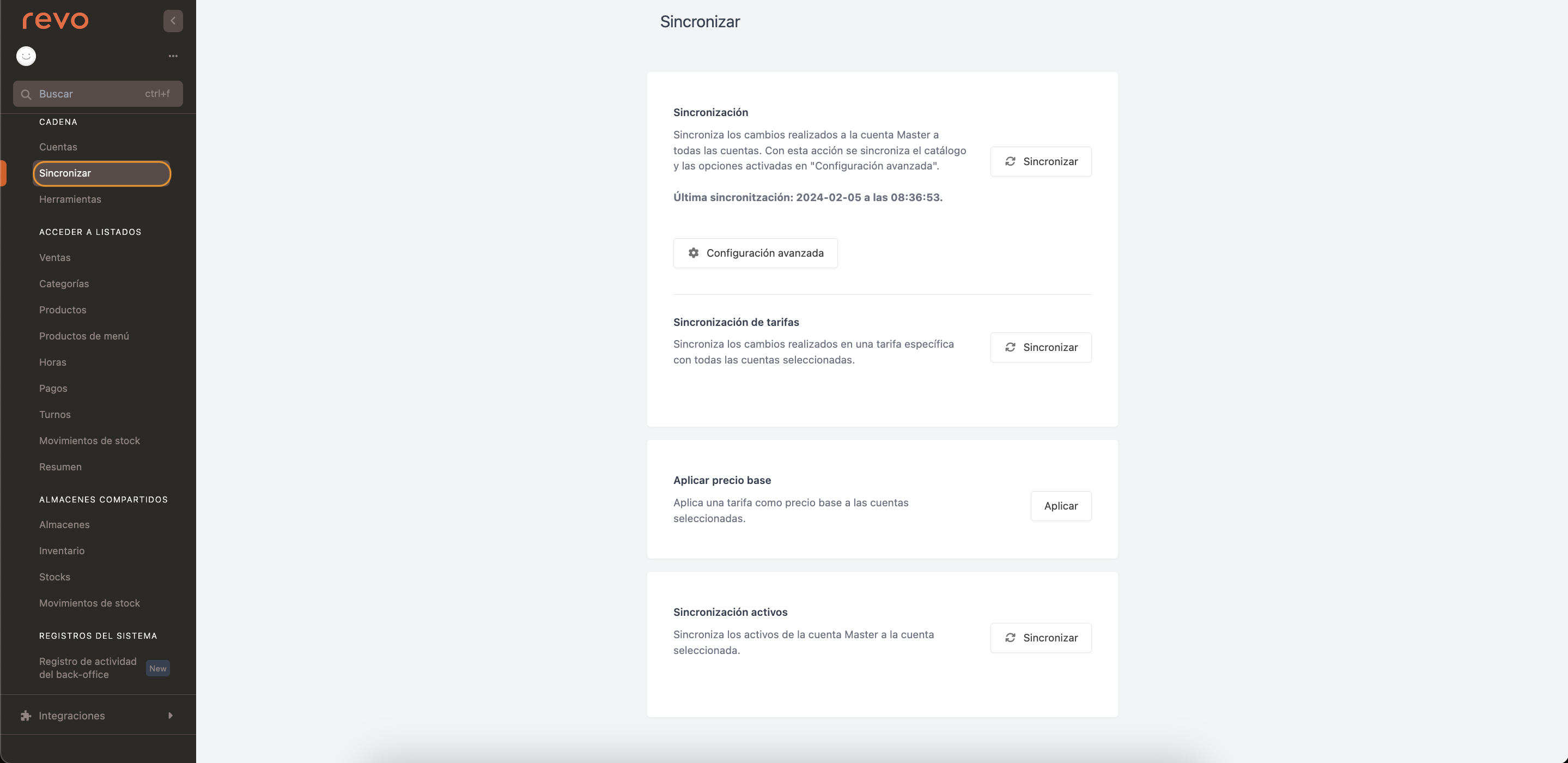
1. Access the back office of your Master account.
2. Go to Chain / SYNC.
-
Synchronisation: Synchronises all changes in the catalogue and the advanced settings from the Master account to all Child accounts. Press Accept when the confirmation message appears.

-
Rate Synchronisation: Synchronises a specific rate with the selected accounts. Pressing synchronise will open the following screen:
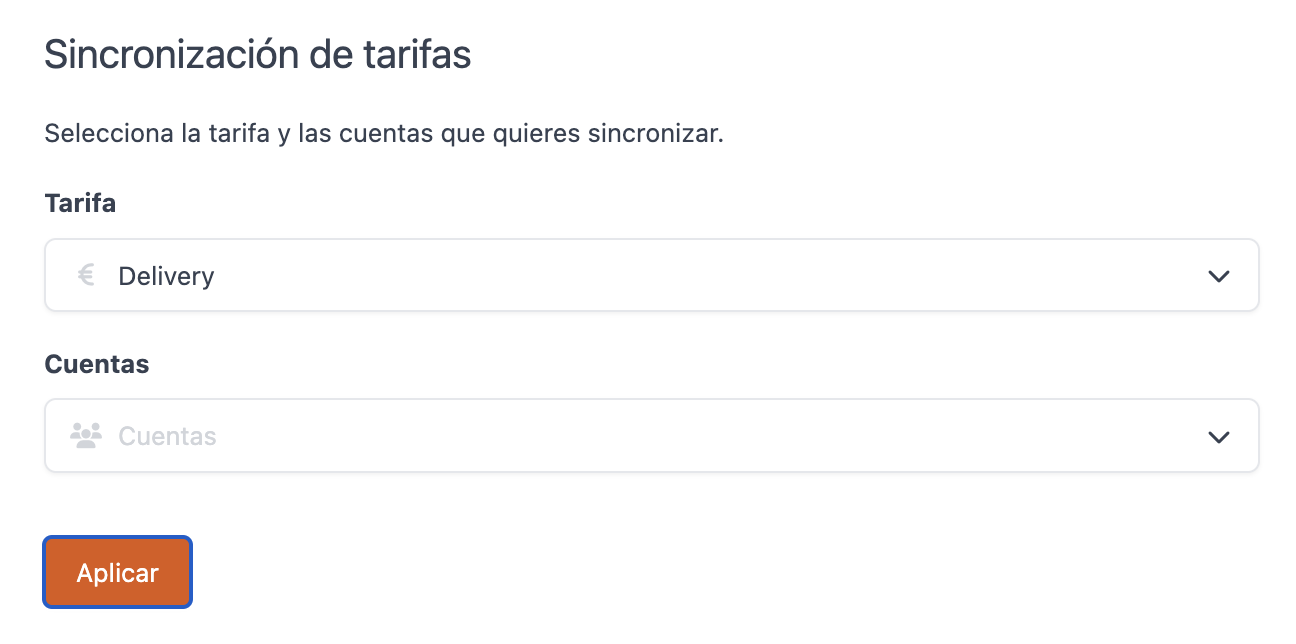
- Rate: Select the rate you created previously.
- Accounts: Select the accounts where you want to synchronise the rate.
- Press Apply to synchronise.
-
Apply Base Price: Applies a rate as the base price to the selected accounts. Pressing apply will open the following screen:
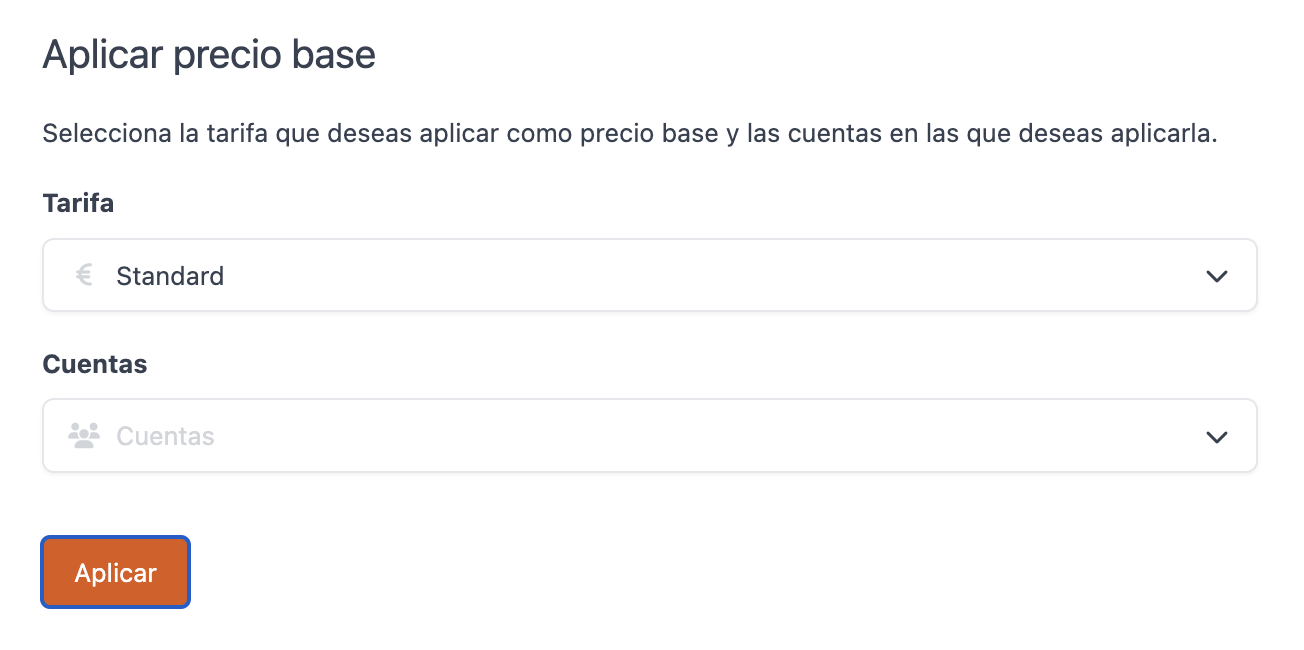
- Rate: Select the rate you created previously.
- Accounts: Select the accounts where you want to apply the rate.
- Press Apply to synchronise.
-
Asset Synchronisation: Synchronises the assets from your Master account to the selected account. Pressing synchronise will open the following screen:
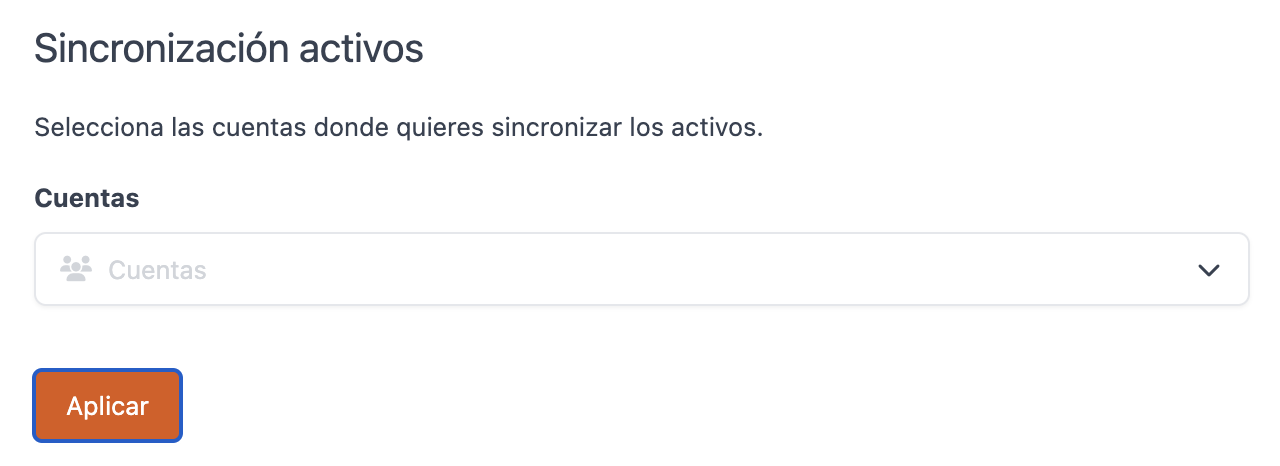
- Accounts: Select the accounts where you want to synchronise the assets.
- Press Apply to synchronise.