
STATUS: ACTIVE
VERSION: 1.0
1. WHAT IS TIMÓN HOTEL? 2. HOW DOES THE TIMÓN HOTEL <-> REVO INTEGRATION WORK? 3. CONFIGURATION IN REVO 4. HOW THE DAILY UPLOAD WORKS 5. TROUBLESHOOTING
1. WHAT IS TIMÓN HOTEL?
Timón Hotel is a PMS (Property Management System) used by hotels to manage bookings, stays and billing.
Unlike other PMS systems, Timón Hotel does not receive real-time room charges from the point of sale. Instead, it receives a daily accounting summary of all the billing generated in Revo XEF once a day.
2. HOW DOES THE TIMÓN HOTEL <-> REVO INTEGRATION WORK?
By connecting TIMÓN HOTEL <-> REVO, the billing generated at the point of sale the previous day is automatically sent to Timón Hotel every day.
With this integration you can:
- Automatically send Timón Hotel the sales production grouped by service and tax.
- Automatically send the daily revenue summary with the totals per tax and the range of tickets issued.
Note: this integration does not manage room charges from the point of sale. Its function is exclusively the daily accounting upload to the PMS.
3. CONFIGURATION IN REVO
CONFIGURING THE INTEGRATION
1. Log in to the Revo XEF back-office.
2. Go to Integrations / INTEGRATIONS.
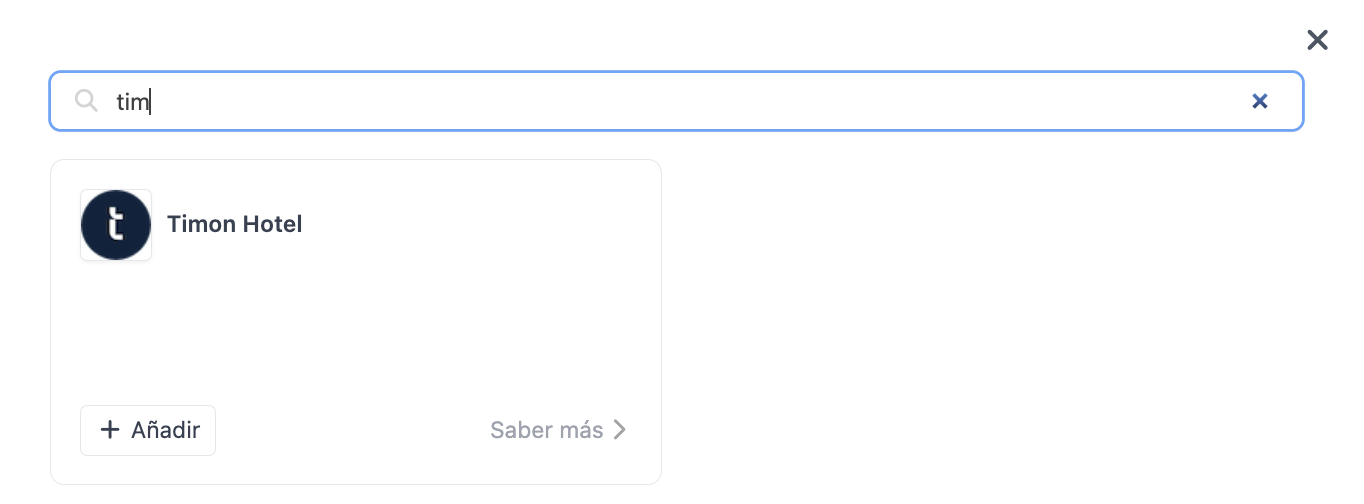
3. Click + New, search for Timón Hotel and select + Add.
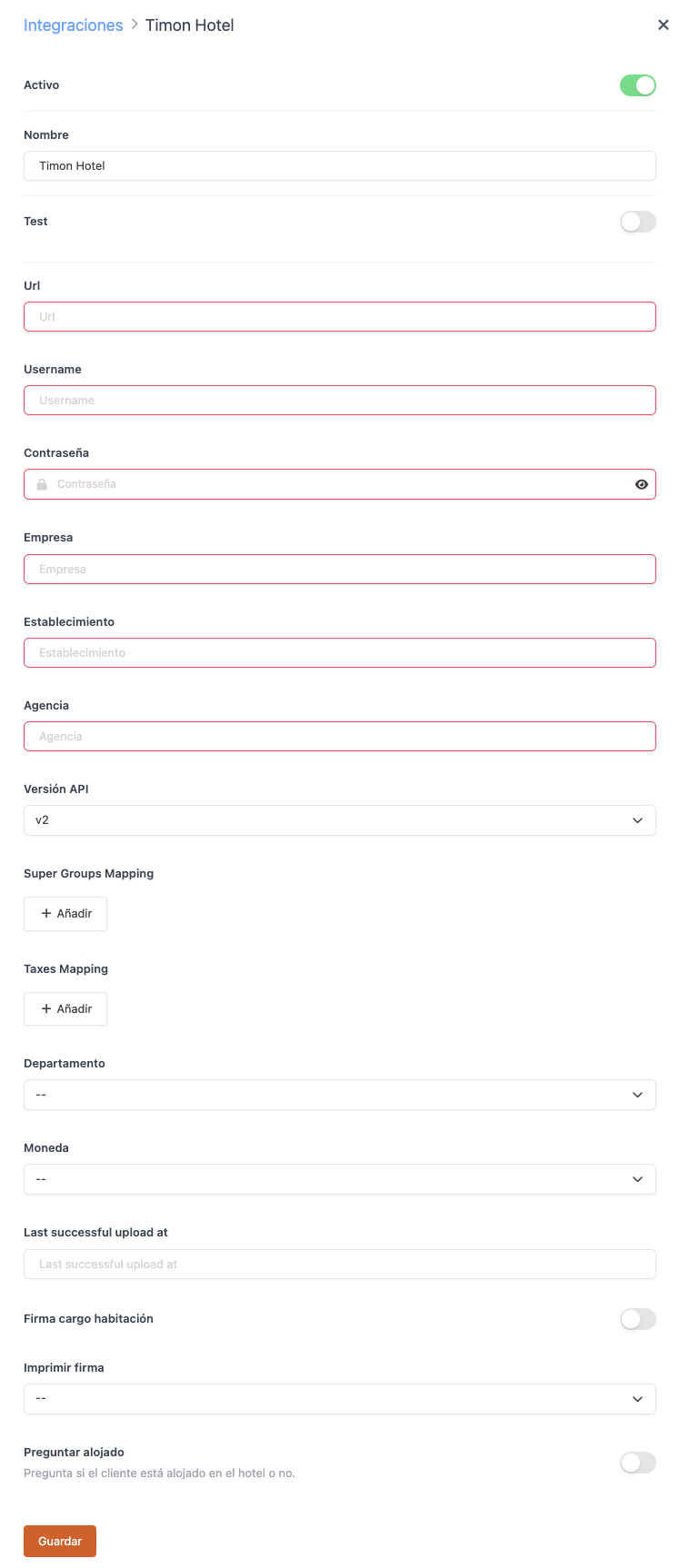
4. Fill in these fields:
-
Active:
-
Url: Address of your establishment's Timón Hotel server. Provided by Timón Hotel.
-
Username and Password: API access credentials. Provided by Timón Hotel.
-
Business: Business identifier in Timón Hotel.
-
Store: Establishment identifier in Timón Hotel.
-
Agency: Agency identifier in Timón Hotel.
-
API version: Select the version indicated by Timón Hotel (v1 or v2).
-
Super group mapping: From the dropdown, select each super group created in Revo XEF and link it to its equivalent service in Timón Hotel.
-
Tax mapping: From the dropdown, select each tax created in Revo XEF and link it to its equivalent tax code in Timón Hotel.
-
Department: Timón Hotel department to which the billing is allocated.
-
Currency: Currency used in the uploads.
5. Click Save.
IMPORTANT: if a super group or tax has no mapping assigned, the associated sales will not be included in the daily upload to Timón Hotel. Make sure your entire active catalog has its super group correctly mapped.
Done! The integration is now configured.
4. HOW THE DAILY UPLOAD WORKS
The upload to Timón Hotel is automatic: no action is required on your part at the point of sale.
1. Every day, Revo XEF collects all real invoices from the previous accounting day. Delivery notes (non-accountable sales) are not included in the upload.
2. It groups sales by product super group and applied tax, and translates them into Timón Hotel's codes according to the configured mapping.
3. It first sends the production detail: one line for each combination of service, tax and date.
4. It then sends the revenue summary: the totals per tax and the range of ticket numbers included in the upload.
5. If the upload completes successfully, it is recorded and is not repeated for that same day. If Timón Hotel rejects the upload or there is a connection problem, the system will automatically retry on the next daily cycle.
5. TROUBLESHOOTING
Sales from a specific super group are not being sent
Check that the super group has a mapping configured in the mapping section. Sales from unmapped super groups are automatically excluded from the upload.
The total amount does not match the day's billing
Remember that the upload only includes real invoices, not delivery notes. If you have sales marked as non-accountable, they will not appear in the upload to Timón Hotel.
The upload has not been completed
Check the connection credentials (username, password and url) in the integration settings. If they are incorrect, the upload will not be able to complete and will be automatically retried the following day.
A new product does not appear in the uploads
Make sure its super group is included in the super group mapping. Products inherit the mapping of the super group they belong to.