This feature is only available in the PRO version.
Description
Welcome campaigns allow actions to be executed automatically when a customer joins the loyalty program.
In this example, we will configure a campaign that sends a welcome SMS and assigns a gift to new program members.
Prerequisites
Before creating the campaign, make sure you have:
- A communication template to define the message that the customer will receive.
- A previously configured gift that will be automatically assigned to the customer.
Create the Campaign
1. Access Smart Campaigns
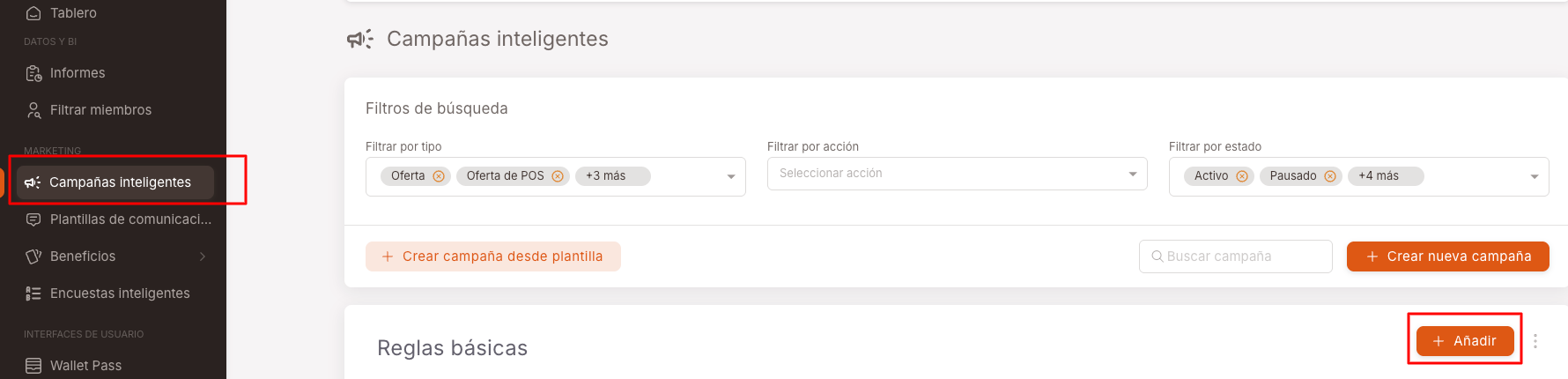
Go to the Smart Campaigns menu and click Add.
2. Create the Campaign
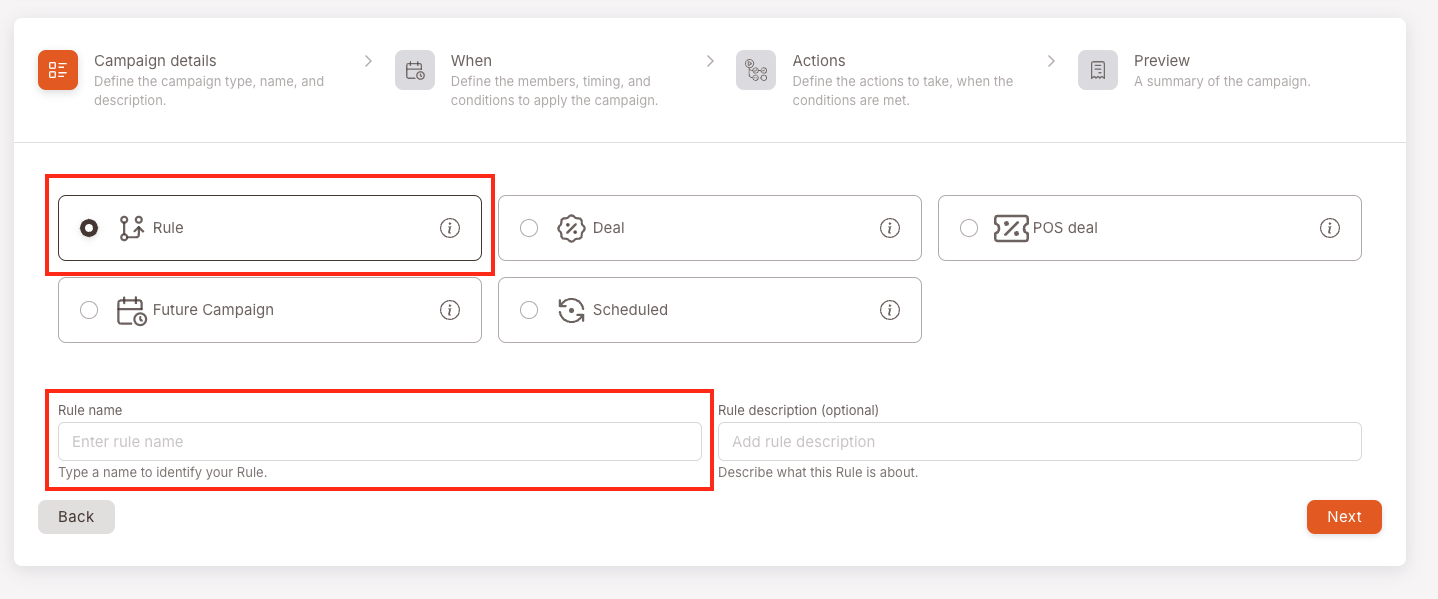
Configure:
- Campaign type: Rule
- Name: Welcome New Members
3. Define When the Campaign Runs
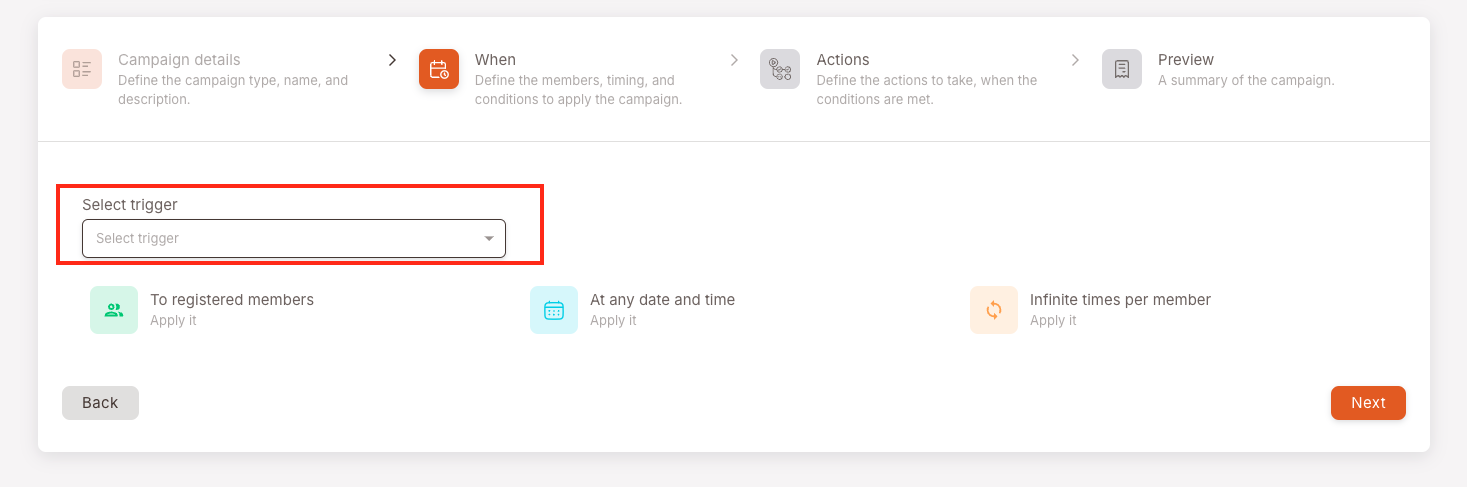
Configure:
- Trigger: Joins the program
The campaign will run automatically when a customer completes their registration in the loyalty program.
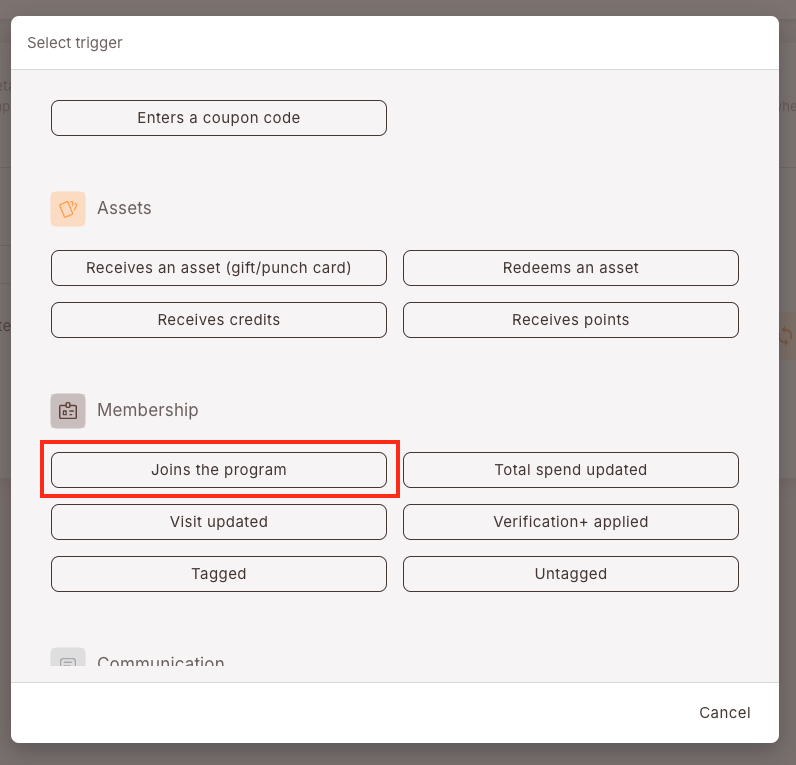
NOTE: This trigger is executed only once per customer, at the moment they join the program.
4. Configure the Actions
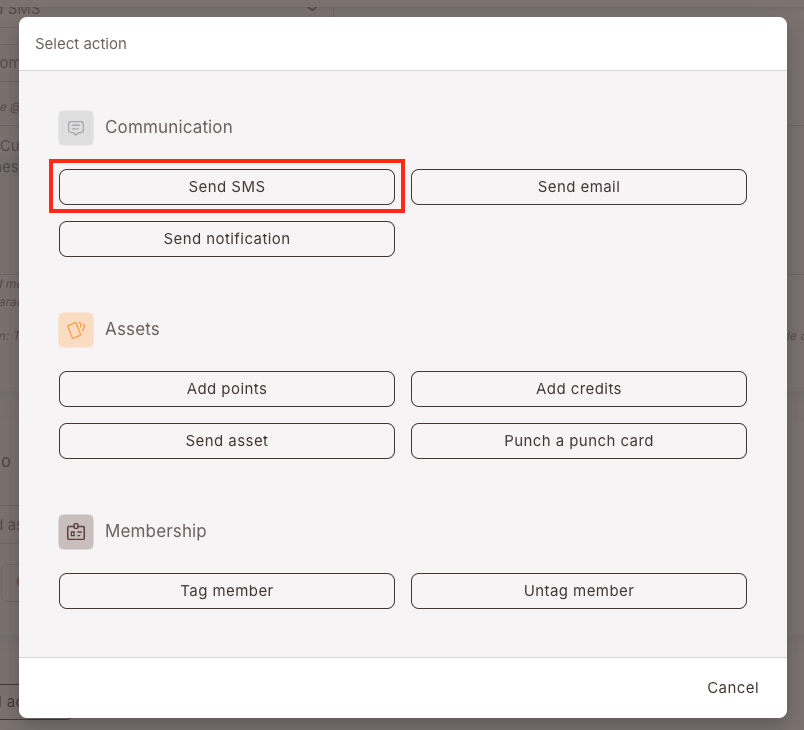
Campaigns allow you to combine different types of actions:
- Communication
- Assets
- Membership
In this example, we will configure a welcome SMS.
Configure:
- Action: Send SMS
5. Configure the Message
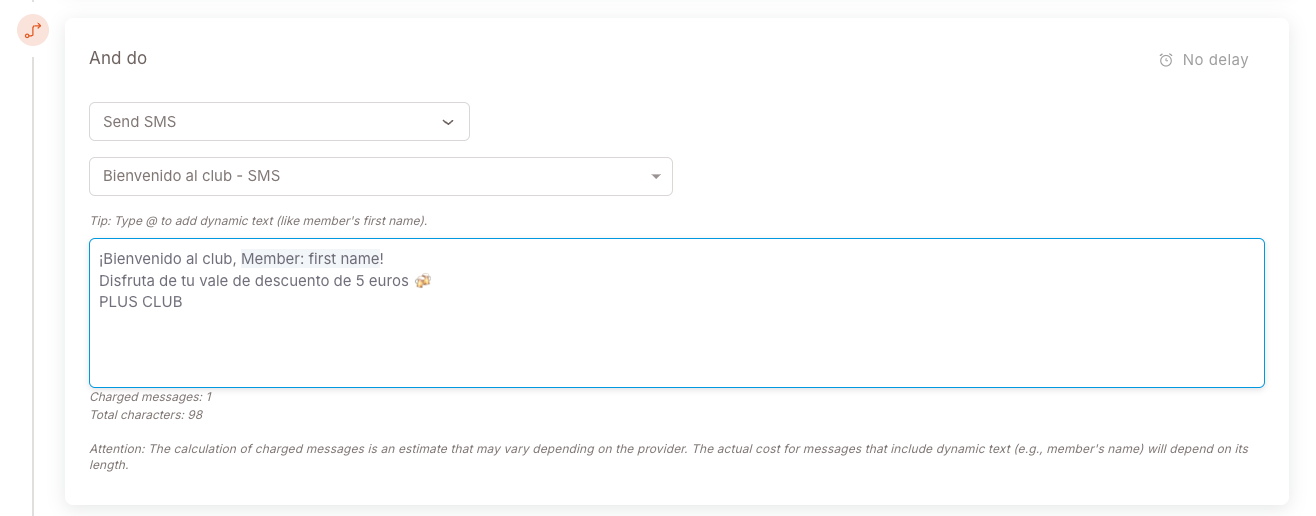
Select a previously created template or write a custom message.
6. Add the Gift
Click Add Action to include the gift in the campaign.
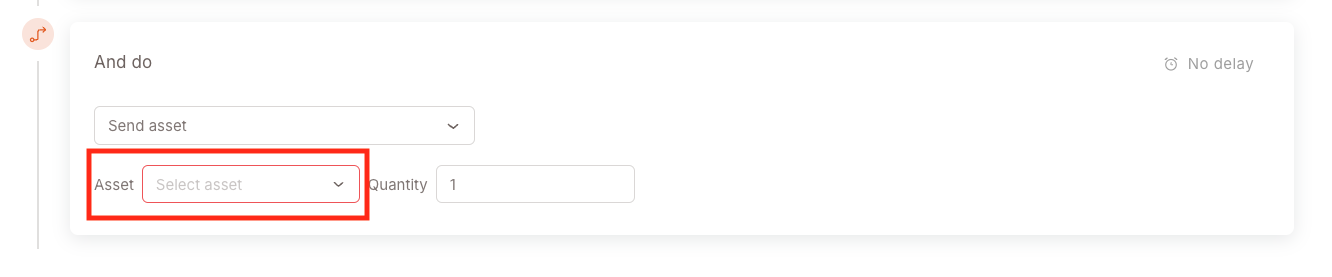
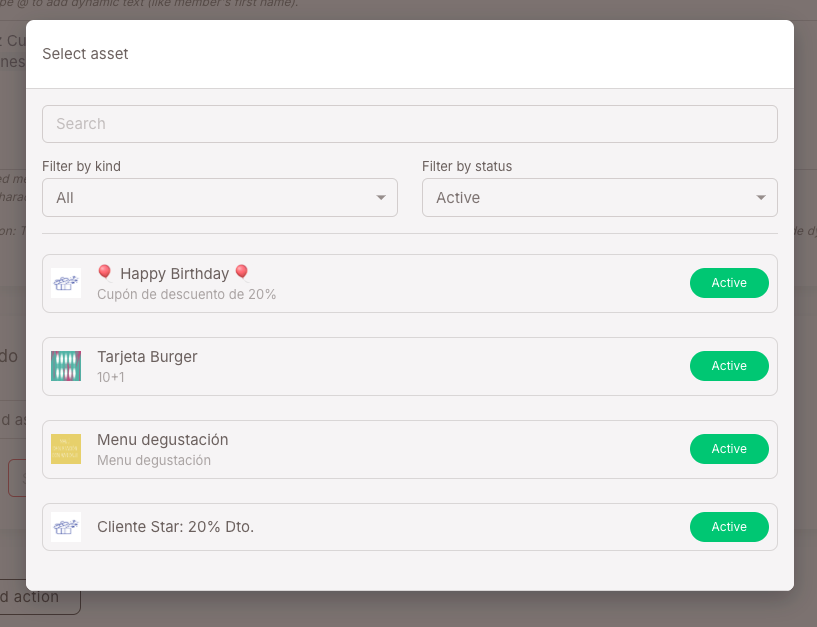
Then, select the previously configured gift.
7. Save the Campaign
Once all actions have been configured, save the campaign.
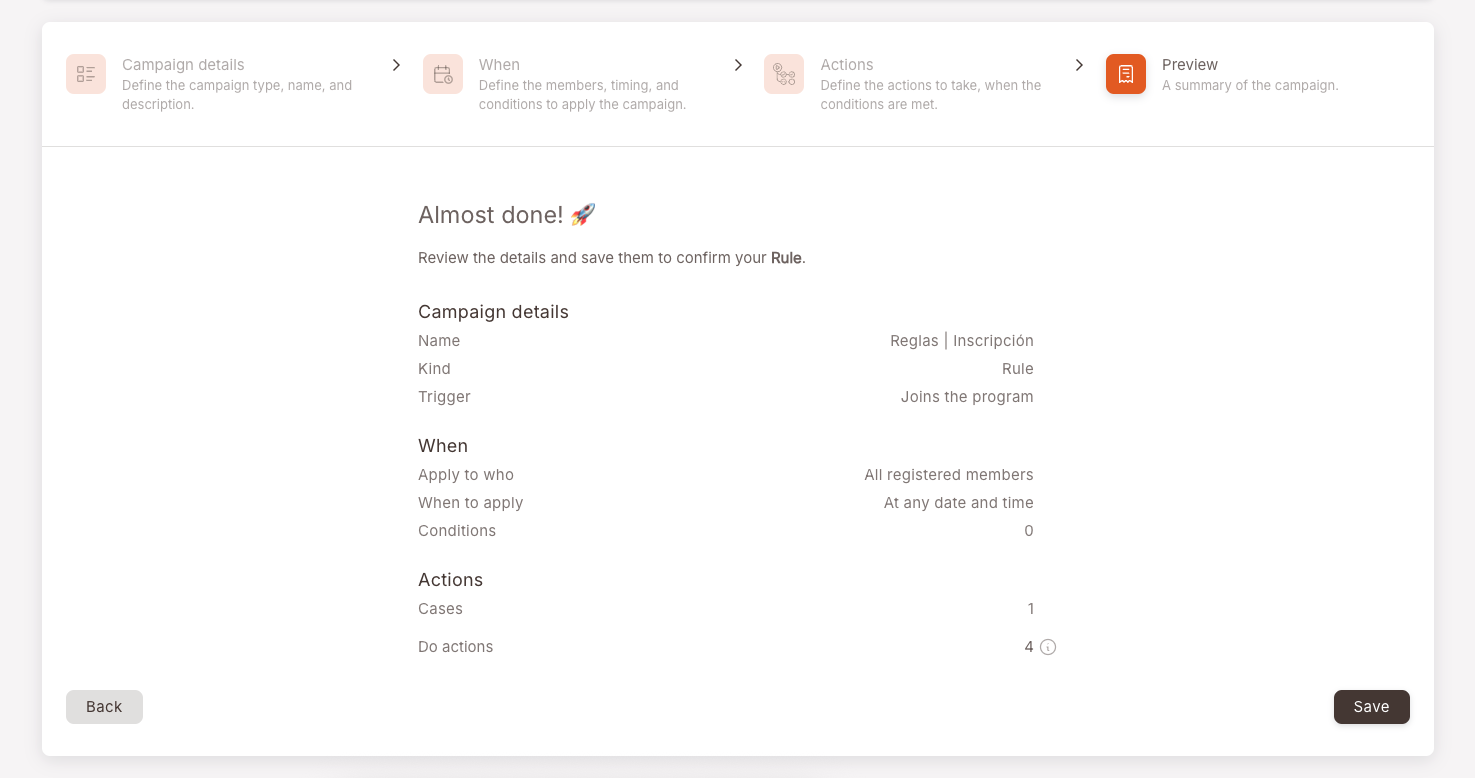
Final Result
When a customer joins the loyalty program:
- They automatically receive the configured SMS.
- They receive the gift associated with the campaign.
- All actions are executed without manual intervention.
The welcome campaign is now active and ready to use.